Google review bot free: what businesses are really looking for
If you searched for google review bot free, you probably do not want a risky robot posting reviews for customers. You want more customers to finish their reviews, and you want a faster, cheaper way to make that happen. That is a real problem, but a bot is usually the wrong answer.
Quick answer
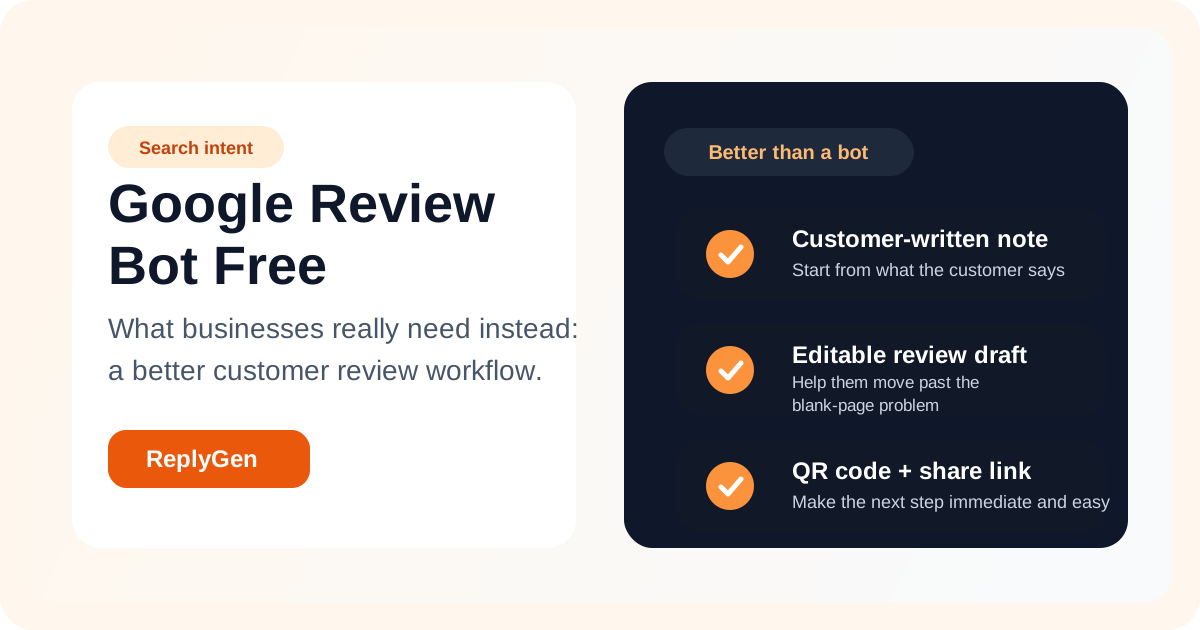
A free Google review bot is usually not what local businesses actually need. What converts better is a simple customer review flow with a QR code, a shareable link, and an editable review draft built from the customer's own note.
Why people search for “google review bot free”
Most businesses are not searching for automation for its own sake. They are reacting to a very specific pain point: customers say they will leave a review, but later they do not follow through. Owners then start looking for a shortcut, and “google review bot free” sounds like a shortcut that might solve the problem without extra cost.
In practice, the underlying need is usually one of these:
A faster way to move customers from intent to action
A simpler way to share the review request at the right moment
A better starting point than a blank review text box
What businesses usually mean by a free review bot
When owners use the word “bot,” they often mean a tool that removes friction. They want something that helps customers get started quickly, remembers key details, and reduces the effort needed to leave a thoughtful review.
That is different from a tool that writes or posts reviews automatically. The better solution is a workflow that helps the customer write faster while keeping the final wording and posting decision in the customer's hands.
The real issue is not review generation. It is review completion.
Many businesses already have happy customers. What they do not have is a reliable way to capture that goodwill before it disappears. The drop-off usually happens at the blank page moment. The customer intends to leave a review, opens the page later, then postpones writing because it feels like work.
If your process only gives them a link to Google, you are still asking them to do the hardest part alone: turning a fuzzy memory into finished review text.
The better framing
Do not ask how to automate customer reviews.
Ask how to make honest review writing easier.
The winning workflow reduces friction without removing customer choice.
Why a “free Google review bot” often leads to the wrong workflow
It focuses on automation instead of authenticity
Customers are more likely to follow through when the process feels helpful and personal, not robotic.
It ignores the blank-page problem
The main blocker is not the click. It is the effort of writing. If the tool does not solve that, it will not solve completion.
It can create low-trust interactions
If the request flow feels unnatural or overly automated, customers may hesitate instead of finishing.
What to use instead: a guided customer review flow
The businesses that win more reviews usually make the process easier in three ways. They put the request in front of the customer at the right moment, they give the customer a fast way to start, and they keep the final review under the customer's control.
1. Share instantly
Use a QR code or direct link so customers can open the review flow without friction.
2. Give them a starting point
Let them write a short note, then turn that note into an editable draft instead of forcing them to start from zero.
3. Keep it customer-controlled
The customer should still be able to edit, shorten, rewrite, or ignore the draft before posting.
Better alternative to a free bot
ReplyGen helps customers write Google reviews faster without feeling robotic
ReplyGen is built for businesses that want more completed reviews without handing the process over to a risky “bot.” Customers open a QR code or link, write a short note in their own words, get an editable draft, and then decide what to post. That gives you a more practical answer to the free bot search: a workflow that actually improves completion.
Editable draft generation from customer-written notes
Shareable review links for text, email, and follow-up messages
QR codes for front desk, checkout, and in-store review requests
One plan built to convert searchers into repeatable review growth
Who this page is really for
This page is for local service businesses, clinics, agencies, restaurants, home service teams, and multi-location operators who are trying to turn more satisfied customers into published Google reviews. If you typed “google review bot free,” your real goal is likely not automation for its own sake. It is review volume, better follow-through, and an easier customer journey.
Final takeaway
The best answer to google review bot free is usually not a free bot at all. It is a simple system that helps real customers start faster, stay in control, and actually finish. That is where ReplyGen fits: not as a gimmick, but as a practical subscription for businesses that want a repeatable review workflow that converts.
Frequently asked questions
FAQ: google review bot free
Is there a truly free Google review bot that safely posts reviews for customers?
Most businesses searching for this are really looking for a cheaper and faster review collection workflow, not a tool that posts reviews on behalf of customers. A safer approach is helping customers start faster while keeping the final review under their control.
Why is a free Google review bot usually the wrong solution?
A “bot” sounds attractive because it promises speed, but businesses usually need a smoother customer journey instead. If the workflow feels pushy, low quality, or disconnected from the real customer experience, it can hurt trust and reduce completion.
What should I use instead of a free Google review bot?
Use a tool that gives customers an easier starting point, such as a review draft built from their own note, plus a QR code or share link that gets them into the flow quickly. That is the gap ReplyGen is designed to solve.
How does ReplyGen convert more review intent into completed reviews?
ReplyGen removes the blank-page problem. Customers open a simple flow, write a short note in their own words, receive an editable draft, and can then personalize it before posting the final review to Google.